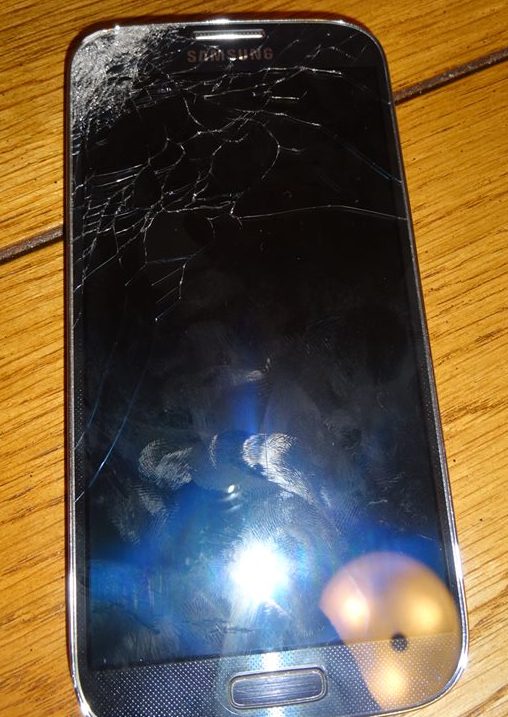
So last week I shattered the screen of my Samsung Galaxy S4. I dropped it from my pocket and I’m short, so that is only a 2.5 to 3 foot drop. It was directly onto concrete and landed perfectly on the corner to spiderweb the screen and render the LCD useless. Unfortunately I had just bought that phone at full price of $750 and not bought insurance. I’ve been having a rough couple of months, so when it happened I shrugged and drove to best buy to purchase another.
Of course best buy was busy, but someone came up to me right away to ask what I needed and put me in the queue for setup and activation. I’m impatient so 15 minutes later I decided to activate it myself. I figured if I needed anything, I would come back. I activated my phone while waiting for my dinner at TGIFridays, no problem. Then I went home and attached my old phone to my computer to retrieve my data. This is where the fun starts.
The first problem I had was that the phone was not in usb mode, and without a screen I could not change that setting. So I started searching for backdoor solutions and came up with Kies (among others). This is where I ran into problem number 2, heretofore known as the Major Problem.
I, like most others, have a lot of personal information on my phone, so I put a PIN on it. While that won’t deter everyone, at least it buys me time to get into my corporate email system and send a remote wipe command if I need to. While this provides a layer of security if the phone is lost or stolen, when it is you trying to get to the data with a broken screen, 100% of people will tell you you are S.O.L.
More furious googling led to me ordering a few adapters and trying even harder to poke at the screen, but it was useless. Anything I tried was not working. It was time for the be all, end all, last resort, nuclear option. I was taking apart the phone to get to the motherboard.
Since I had just purchased a new S4, and had a S3 lying around with a broken charging port, I figured I stood a good shot of being able to swap the motherboard into something to either pull the data off or at least unlock and remove the PIN. The first step was finding videos on disassembling the devices.
S4 Tear Down S3 Tear Down – You will really only need the first few minutes of either of these.
I started with the S3, hoping that I could attach the screen to the motherboard of the S4 and unlock the device. Followed the video to the point of exposing the motherboard so I could compare the connectors. I then disassembled the broken S4 to the same point. I disconnected the video connector from both and discovered that it was different and was going to have to use the new S4.**
LET ME INTERRUPT MYSELF FOR A FEW QUICK TIPS: I didn’t have a “plastic non marring tool” but I did have a plastic membership card (my barnes and noble worked well, gas station or grocery loyalty card would probably work too). This took time and patience but don’t use a small flathead screwdriver! I did on the broken one and it slipped a few times and left deep scratches on the side of the back panel. UGLY! Also I did not remove the speaker housing on the new S4. I figured the less parts I removed, the safer. You can get the back housing off without removing this part, so don’t dig it out if you dont have to!
While disassembling the old S4 that I was trying to get the data from. I managed to strip two of the screws and had to break the back cover off around the screws to get it off. I was very careful with the new one to make sure I had the right size screwdriver first so as not to do this to the back cover I needed to keep. After getting the back cover off of both devices, I attempted to make what I’m referring to as “The Beast”. After some Trial and error, I found that I could lay one face up and once face down and the video connector would make it from one phone to another. Put the batteries in and magic, the broken phone is displayed on the new phone. (note, the home button and soft keys will still need to be pressed on the old phone, but that’s easy enough)

From here it was a piece of cake. Unlocked, removed PIN, connected USB to my computer and changed to Mass Storage mode. Then I backed up the file system directly and also used Kies to back up everything. I then put everything back the way it was and used Kies to restore my data to my new phone!
The other option had the connector not reached would have been to put the old motherboard in the new. I tried the display option first as there are two tiny pin connectors (for antenna and something….) that I read were easily breakable and would make your phone non-functional. I wanted to try the safest of the nuclear options first, and it worked out!
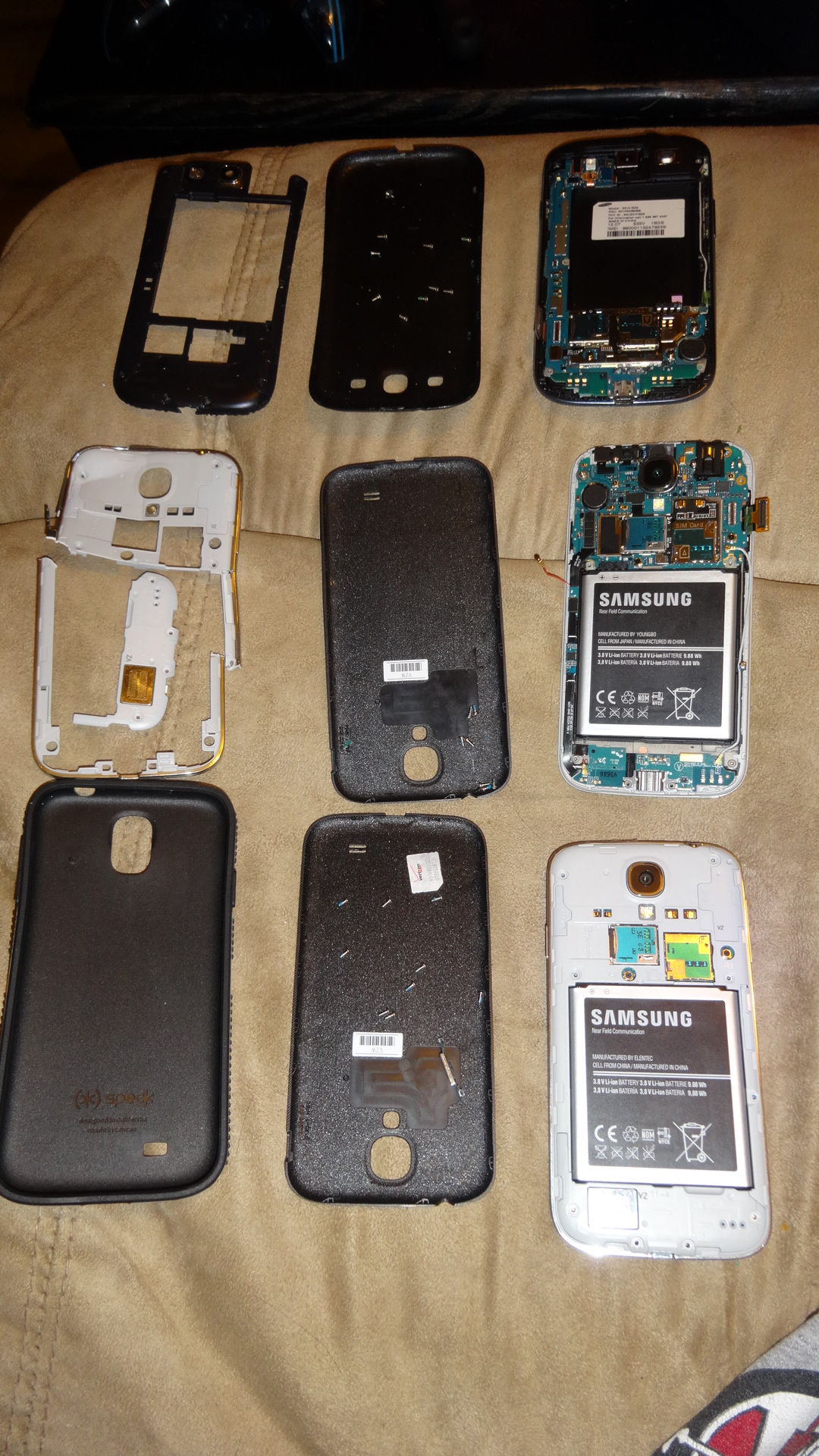
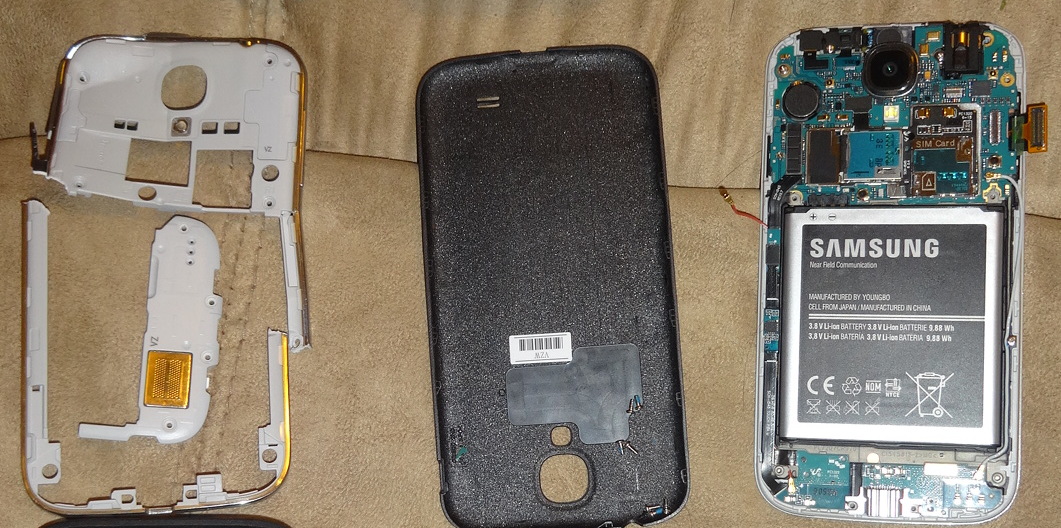
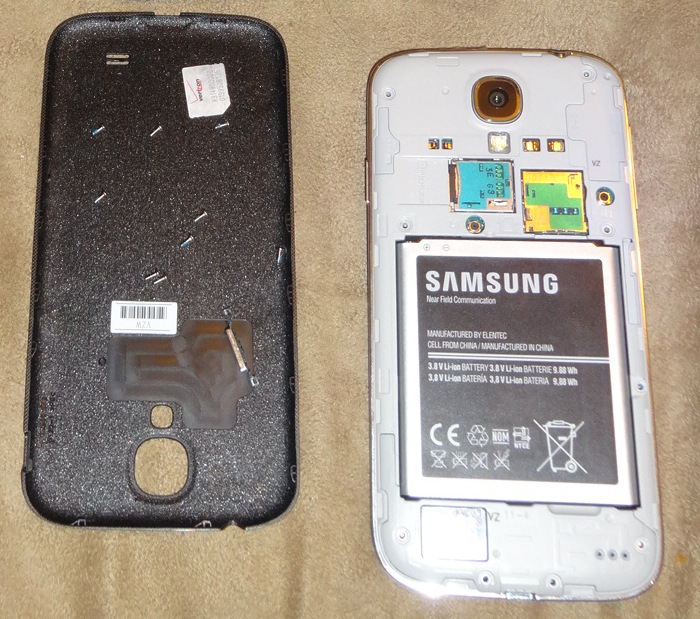
When all was taken apart, this is what I had. First image: Top row is the S3, middle is the broken S4, and bottom is the new S4. Second Image: Closeup of broken S4 and snapped back cover. Third Image: New S4 put back together.
For Those who want to skip my eloquent story telling and get right to the steps….(or TL;DR)
- Watch S4 Tear Down, complete on old phone to point that motherboard is exposed.
- Watch S4 Tear Down again and complete on new phone to same point.
- Carefully disconnect video connector on both phones.
- With one phone face up, and one phone face down, connect video connector from new phone screen to motherboard of broken phone.
- Insert batteries in both phones.
- Use white power button to turn on old phone and new phone (new phone has to be on for the screen to get power.
- Unlock phone with new screen (home and softkeys will need to be pressed on old phone)
- Remove PIN via screen lock settings
- Connect old phone to computer and change to usb mode
- Access Data!
**footnote: There are two reasons I was willing to use the new S4 for this purpose: 1. I purchased it with a warranty, so if i broke it, I was just going to smash it into the ground (maybe run it over with my car) and get it replaced. 2. The data I wanted was text messages from my dad who recently passed away. I had some very touching messages, so I was willing to even pay for a third phone if I had to.
 thegiamarie
Hi there, glad to hear you got your data recovered! I have a similar situation and I dropped my s3 on concrete but the motherboard seems ok. Do you think I’d be able to recover data with a second s3 body?
Also, where did you find your text files if you don’t mind my asking. I had saved threads from last year from friends who live far away. Any help is appreciated!
Sorry for the long delay, hope this still may help. As long as the data is still there, if you are able to connect the motherboard to another screen, likely you will be able to follow a similar process to me. no guarantees though! 🙂
For texts, Samsung Kies will backup a lot more information than any other backup software that I have run into, and it a lot better than trying to decipher the filesystem in android. Once you are able to access the device, connect it to a computer and back it up with Samsung Kies, which will give you the option to back up texts. You can then use samsung Kies to restore these to your new device.